Home › Templates › Bookkeeping Spreadsheet
Rental Property Bookkeeping Spreadsheet
Know exactly what each rental earns, without accounting software.
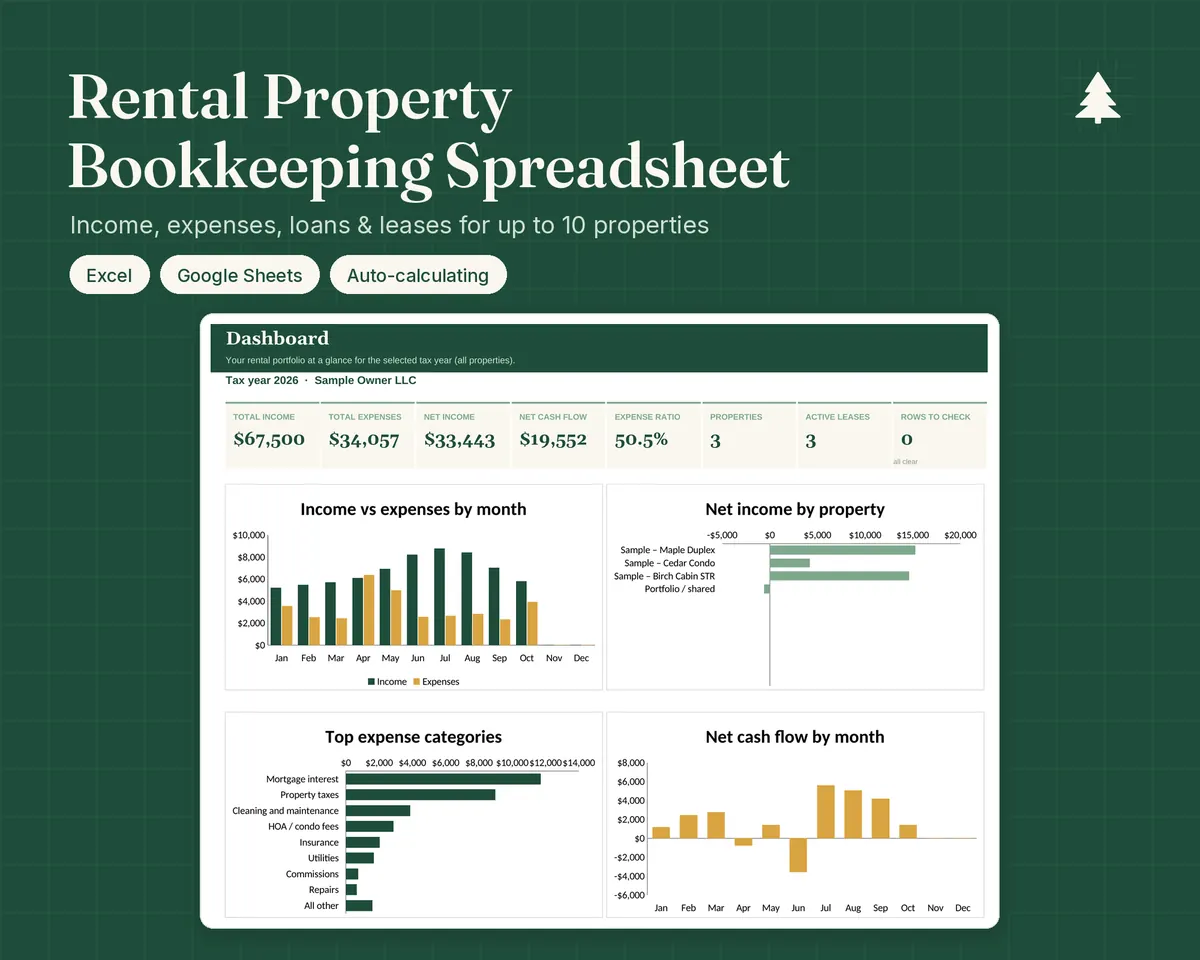
Log rent and expenses with dropdowns. The dashboard, monthly summary and year-end P&L per property update automatically.
- Excel
- Google Sheets
- Instant download
$19
Up to 10 properties · Excel & Google Sheets · Instant download
Gumroad: secure checkout, instant download link by email. Etsy: download from You › Purchases.
What's inside
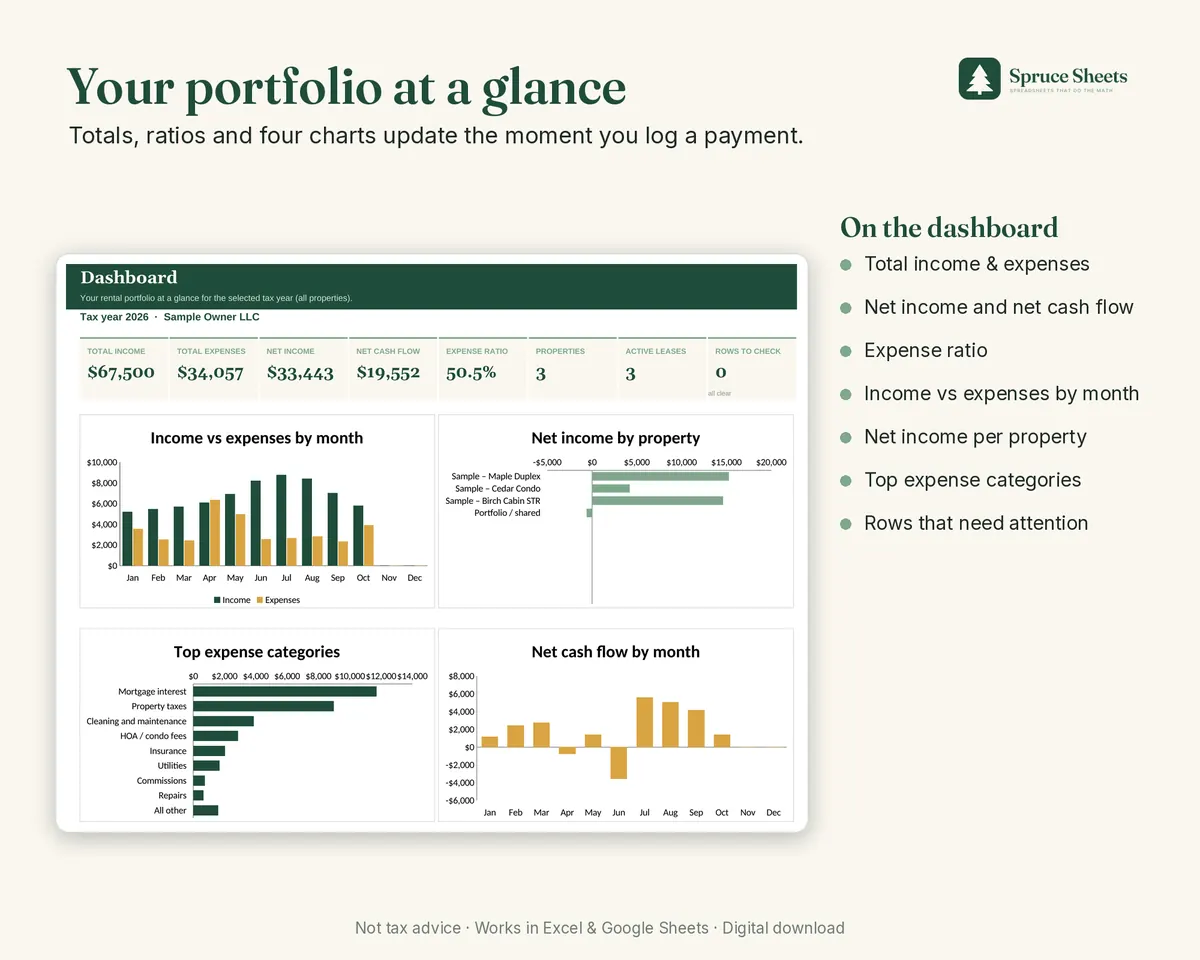
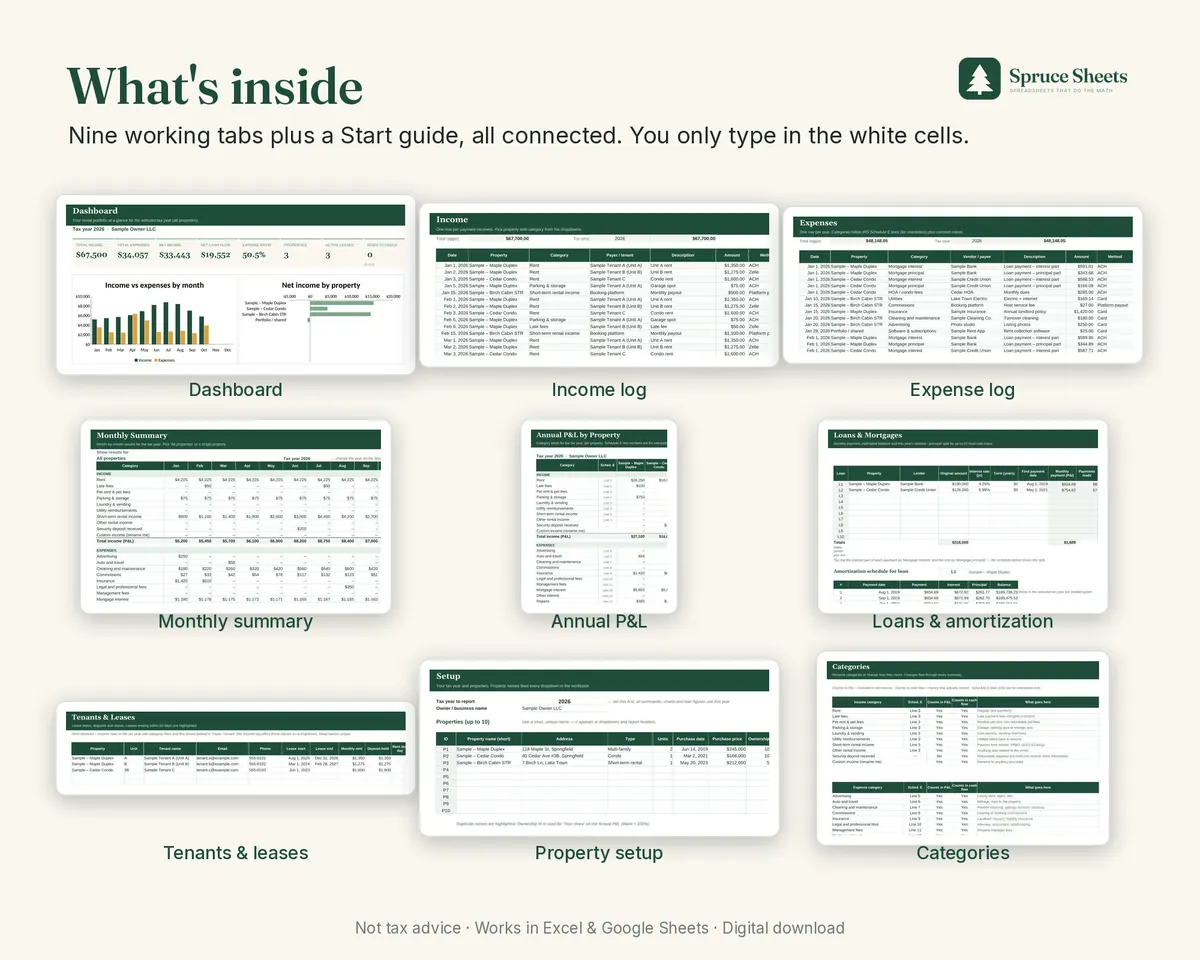
- Dashboard: income, expenses, net income, cash flow, expense ratio and 4 charts
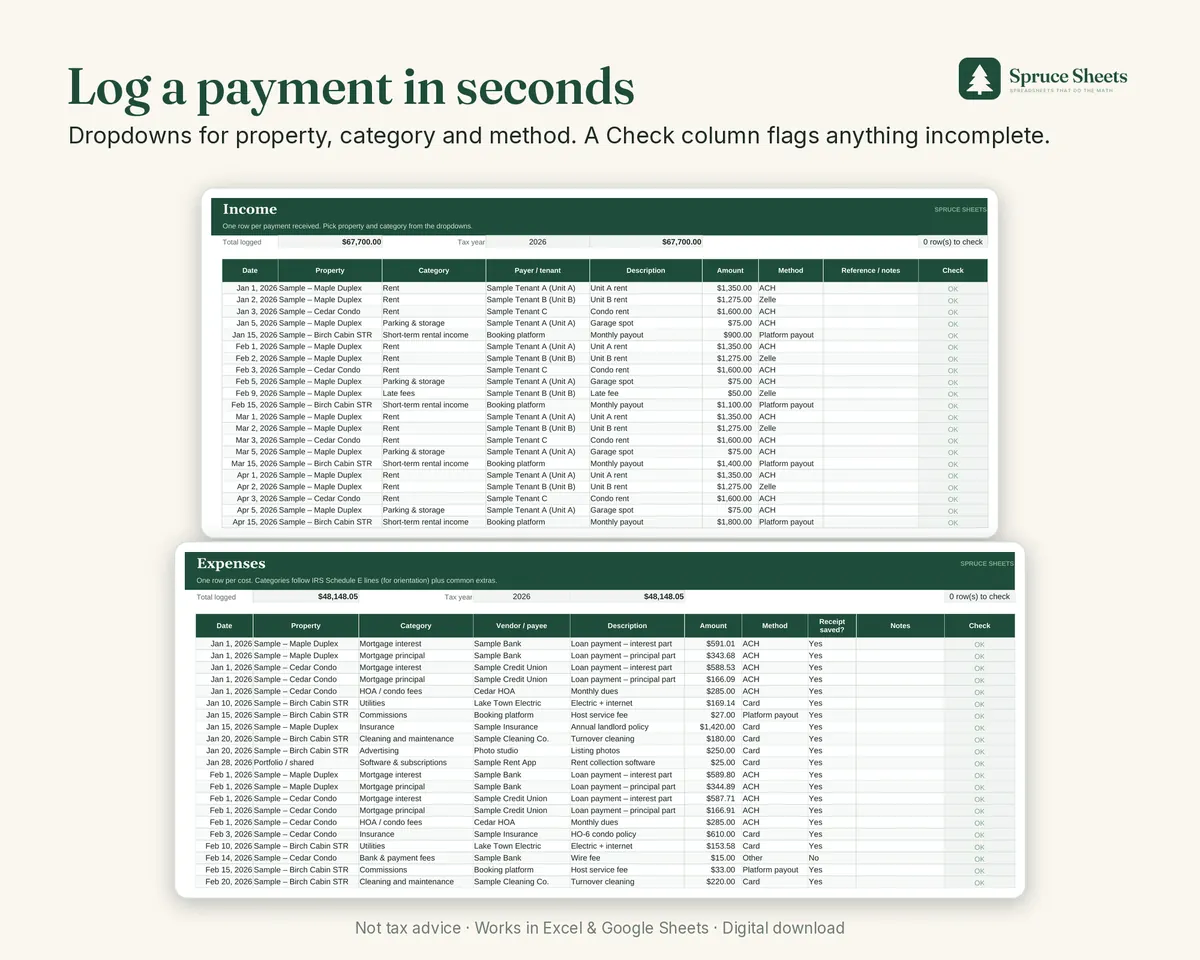
- Income & expense logs: 500 + 1,000 rows, with a Check column that flags incomplete rows
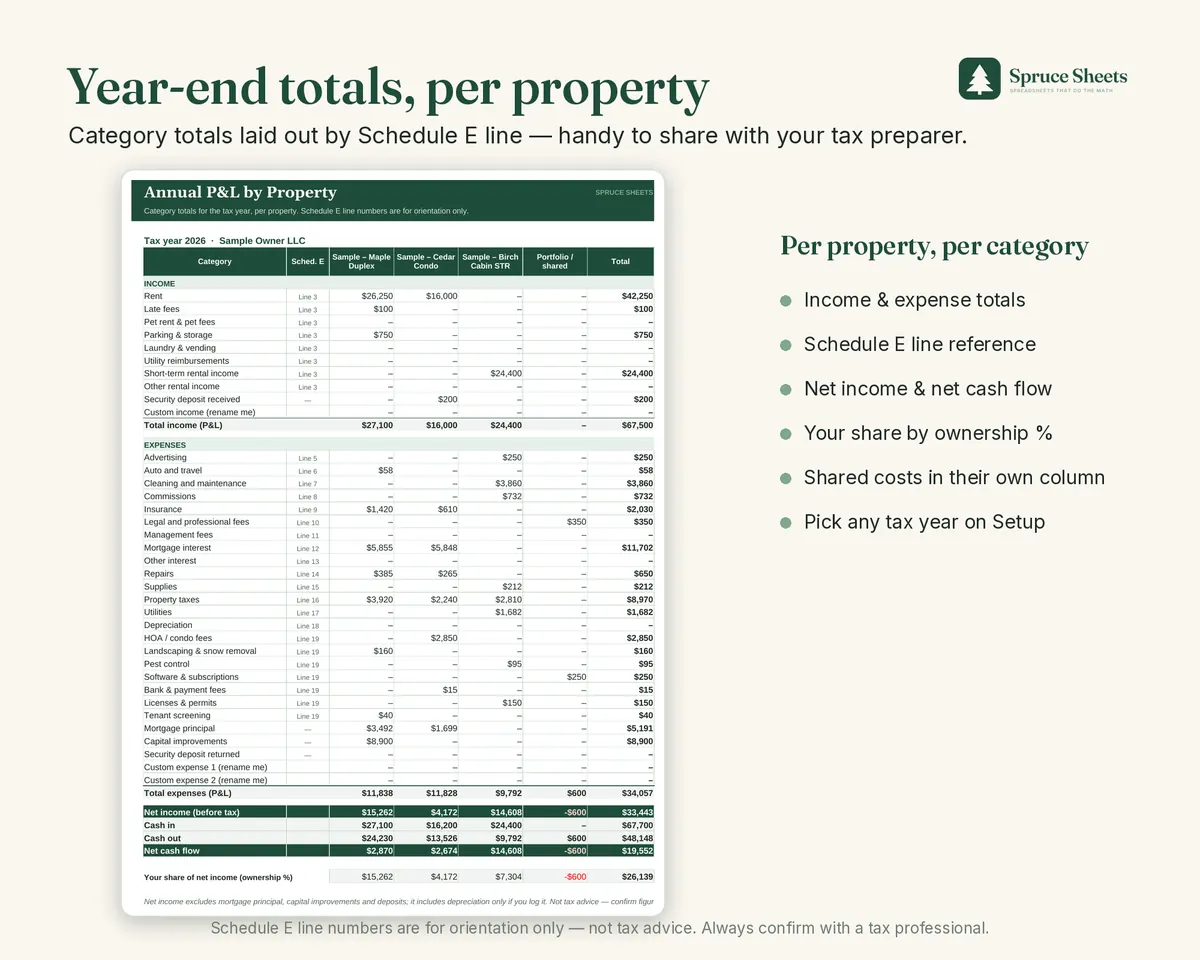
- Schedule E-style expense categories: plus common extras; rename them any time
- Monthly summary: for all properties or one property
- Annual P&L by property: with Schedule E line references and your share by ownership %
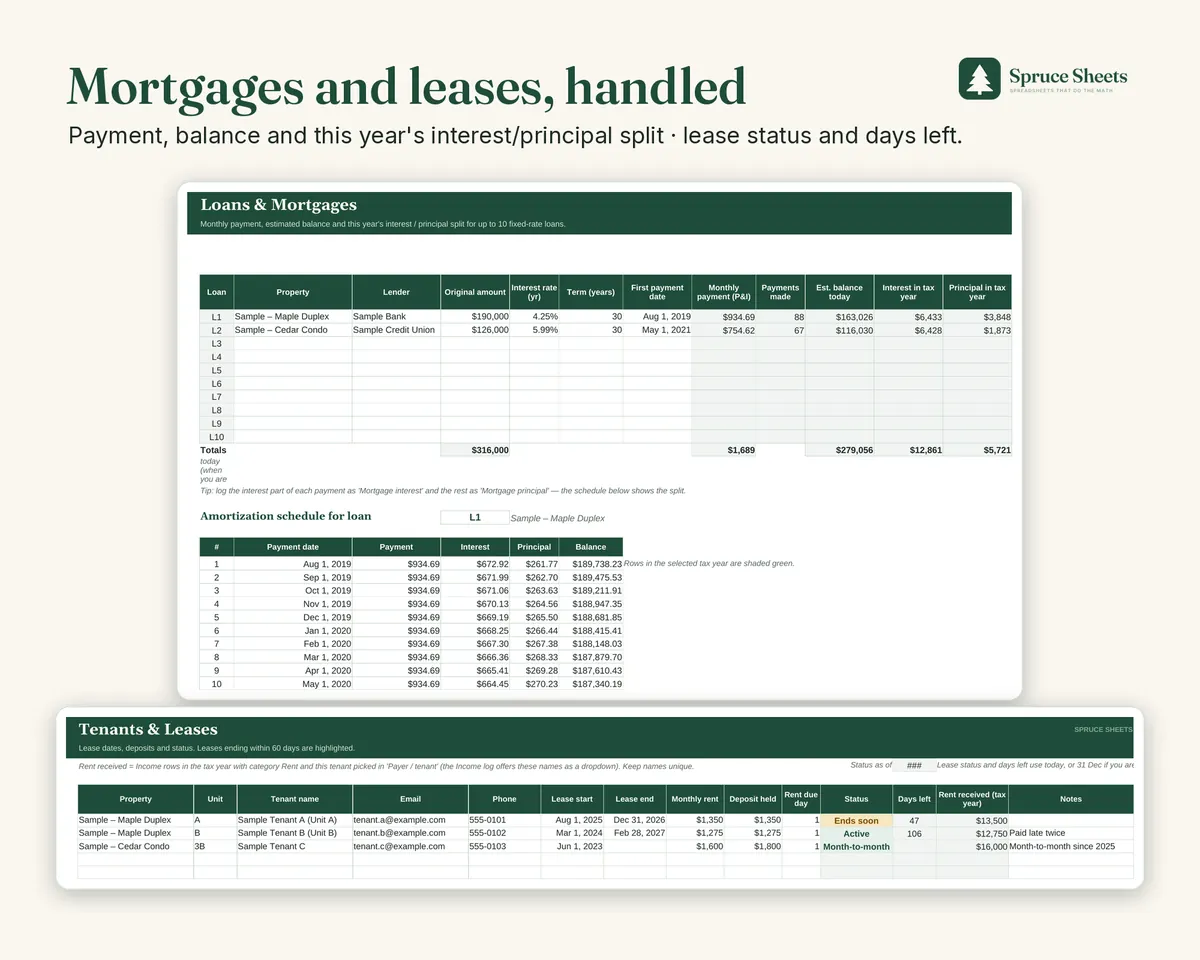
- Loans tab: payment, balance, this year's interest and principal, amortization schedule
- Tenants & leases: status, days left, deposits, rent received
You get: The spreadsheet with clearly labelled sample data, a blank copy, and an 8-page PDF guide.
Works in: Microsoft Excel 2010+ (desktop or web) and Google Sheets.
Screenshots from the real file
Frequently asked questions
Is this the same as Schedule E?
No. It organizes your numbers with Schedule E line references so they're easy to hand to your tax preparer. It doesn't file anything and isn't tax advice.
Can I use it for more than 10 properties?
The layout is built for 10 properties. If you have more, use one file per group of properties.
Can I track short-term rentals (Airbnb, Vrbo)?
Yes. There's a "Short-term rental income" category, and you can log platform fees as Commissions. Spruce Sheets is not affiliated with any booking platform.
How do I clear the sample data?
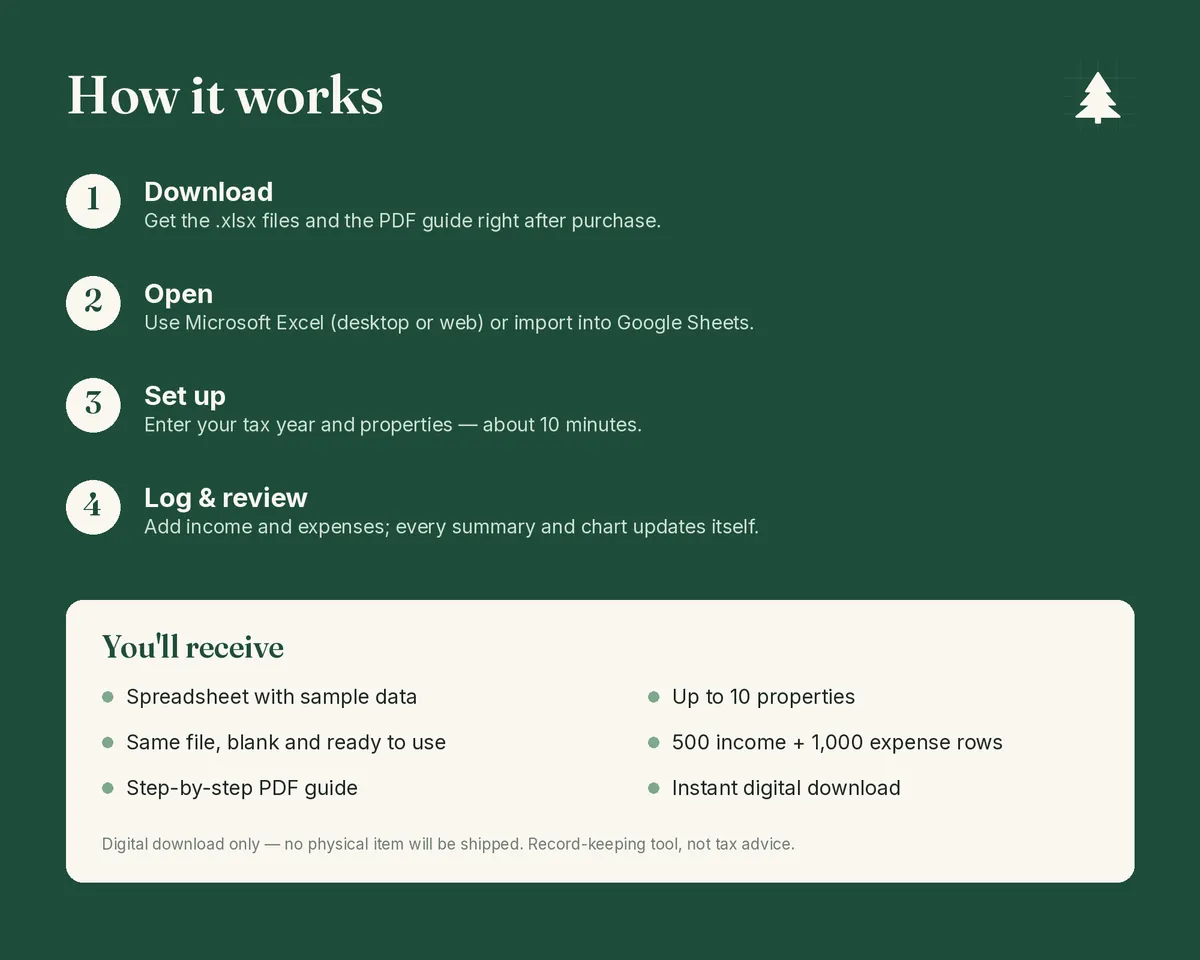
Use the BLANK file, or follow the "Start fresh" steps on the Start tab and in the PDF guide.
Does it work in Google Sheets?
Yes. Upload the .xlsx file to Google Drive and open it with Google Sheets (File › Save as Google Sheets). Formulas, dropdowns and highlights work. Charts may look slightly different, and you may want to re-apply sheet protection (right-click a tab › Protect sheet).
Which version of Excel do I need?
Excel 2010 or newer, on Windows, Mac or the web. There are no macros or add-ons. Apple Numbers is not supported.
How do I get the files?
Right after payment, Gumroad shows a download page and emails you a link. On Etsy, go to You › Purchases and reviews › Download Files.
Can I use another currency?
Yes. Amounts display in $, but the math works for any currency.
Can I get a refund?
Because these are digital downloads, refunds aren't usually offered. If something doesn't work, email us and we'll help you get it working.
Can I share or resell the files?
They're licensed for your personal use with your own properties. Please don't resell or share them.
Record-keeping tool, not tax, legal or financial advice. Schedule E references are for orientation only; confirm figures with a qualified tax professional. Personal-use licence; please don't resell or share the files. Made by Spruce Sheets with the help of AI tools; every formula was tested before release.
Related guides
You might also need
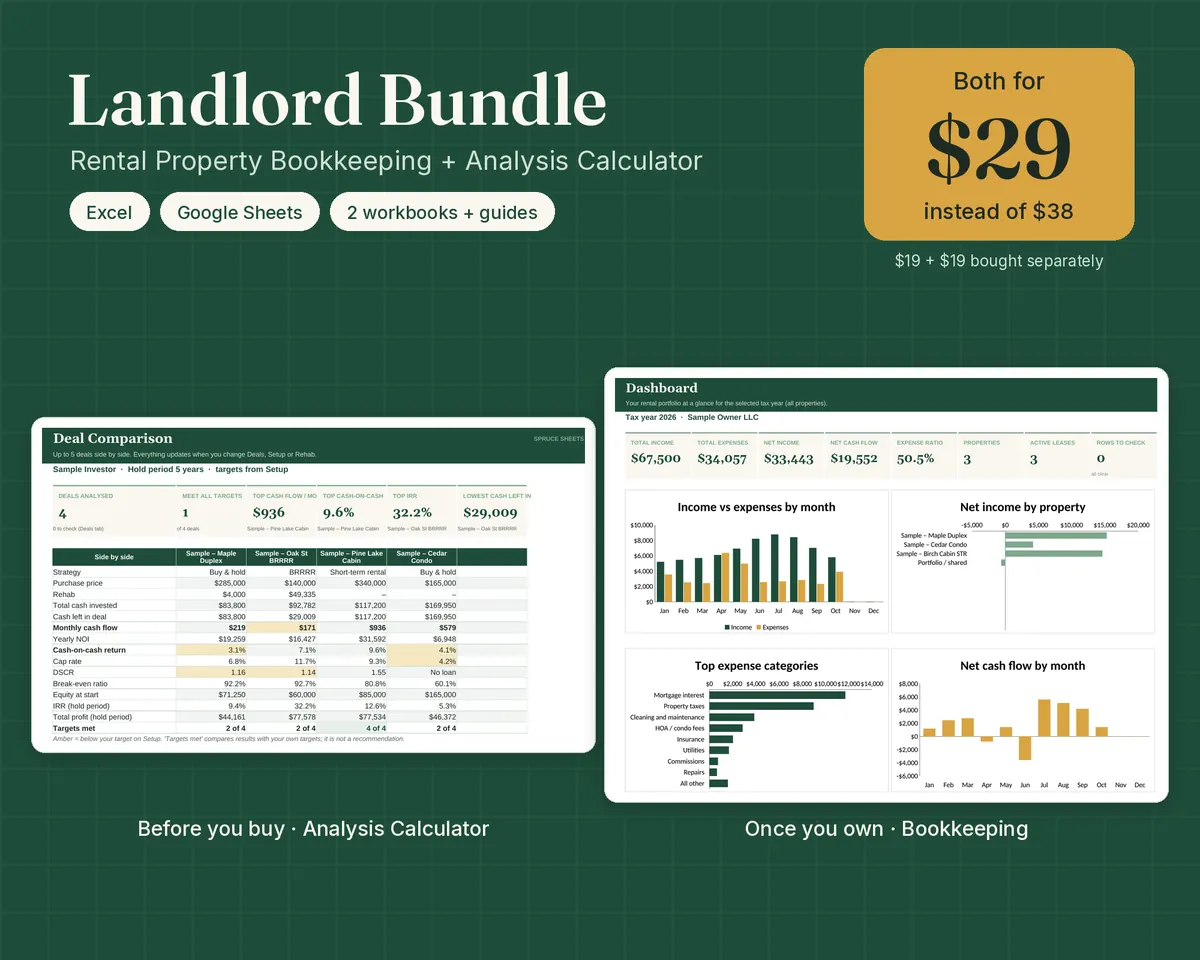
Landlord Bundle
Analyse a rental before you buy. Keep the books once you own it.
2 workbooks · Analyse deals, then keep the books · Excel & Google Sheets
$29 $38
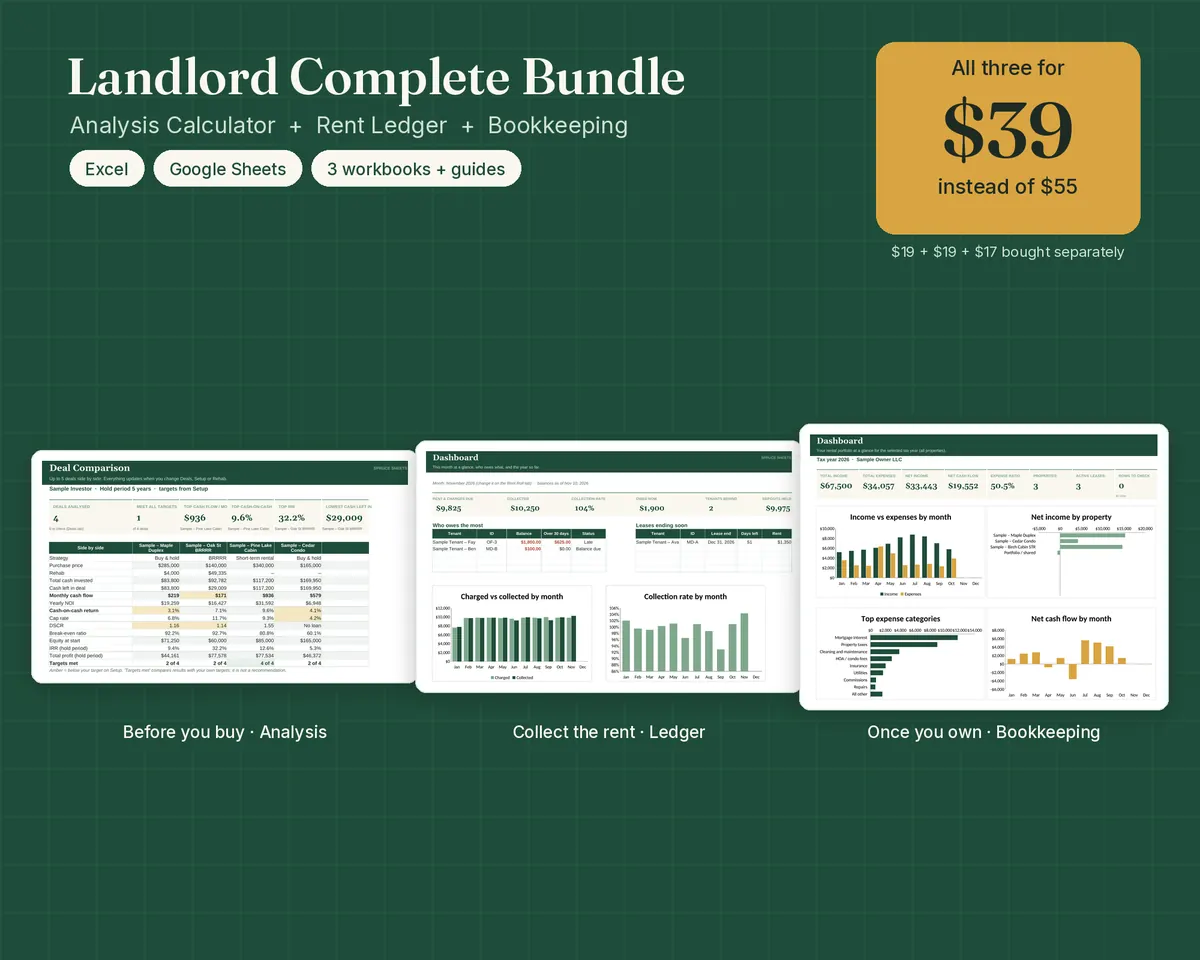
Landlord Complete Bundle
Analyse it. Collect the rent. Keep the books through tax time.
3 workbooks · Analyse, collect rent, keep the books · Excel & Google Sheets
$39 $55
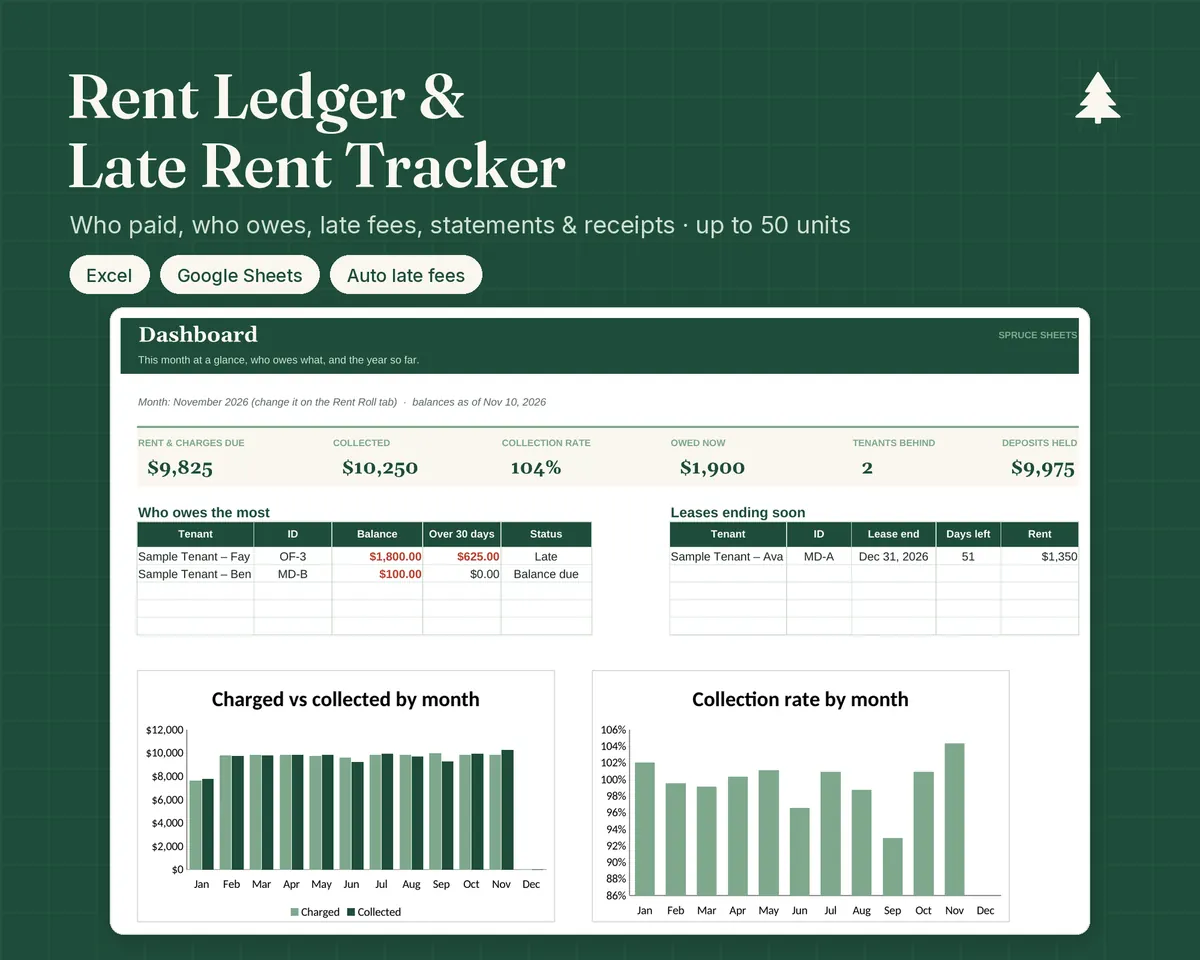
Rent Ledger & Late Rent Tracker
Know who paid, who owes, and for how long.
Up to 50 units · Automatic rent & late fees · Statements & receipts
$17